

Find Kahoot answers with the source you already have
A Kahoot answer solver turns a game PIN, shared link, or quiz ID into a focused answer board. Add a keyword filter before the lookup and optionally hide questions without a verified answer.
A live PIN checks the current game. A link or quiz ID usually points straight to the quiz. When a live game keeps questions private, the dashboard explains whether it is waiting, using a supported fallback, or unable to verify an answer.
Answer Solver is for lookup and review. The Game Joiner Bot and Flooder are separate live-session tools: one controls a single answering bot, while the other creates a configured live roster.
Kahoot: browser tools and dashboard setup
Dashboard tools
Live answers and optional autosolve
Find answers for supported live questions, with verified lookup and AI fallback when available.
- Answer lookup and AI fallback
- On-page answer highlighting
- Optional autosolve
Your input, setup and result
Free or above · 5 task credits per action. Compare current allowances and plans.
- What you need
- A live game PIN, Kahoot quiz link or quiz ID. A quiz link or ID identifies the source more directly when you already have it.
- What to do
- Prefer a quiz link or ID, then Get Answers. PIN fallback may join a visible temporary participant; check the nickname before continuing. The answering bot uses its own PIN and nickname.
- What to check
- Check the answer board, its question coverage and any source notice. Match answer text to the current options; answer positions can change.
- If it does not work
- If a live PIN cannot resolve a quiz, try the available quiz link or ID. Clear a restrictive filter before treating an empty board as missing content.
The extension assists a supported open Kahoot activity. Dashboard lookup, one answering bot and roster controls have different inputs and plan requirements.
Controls and result walkthrough
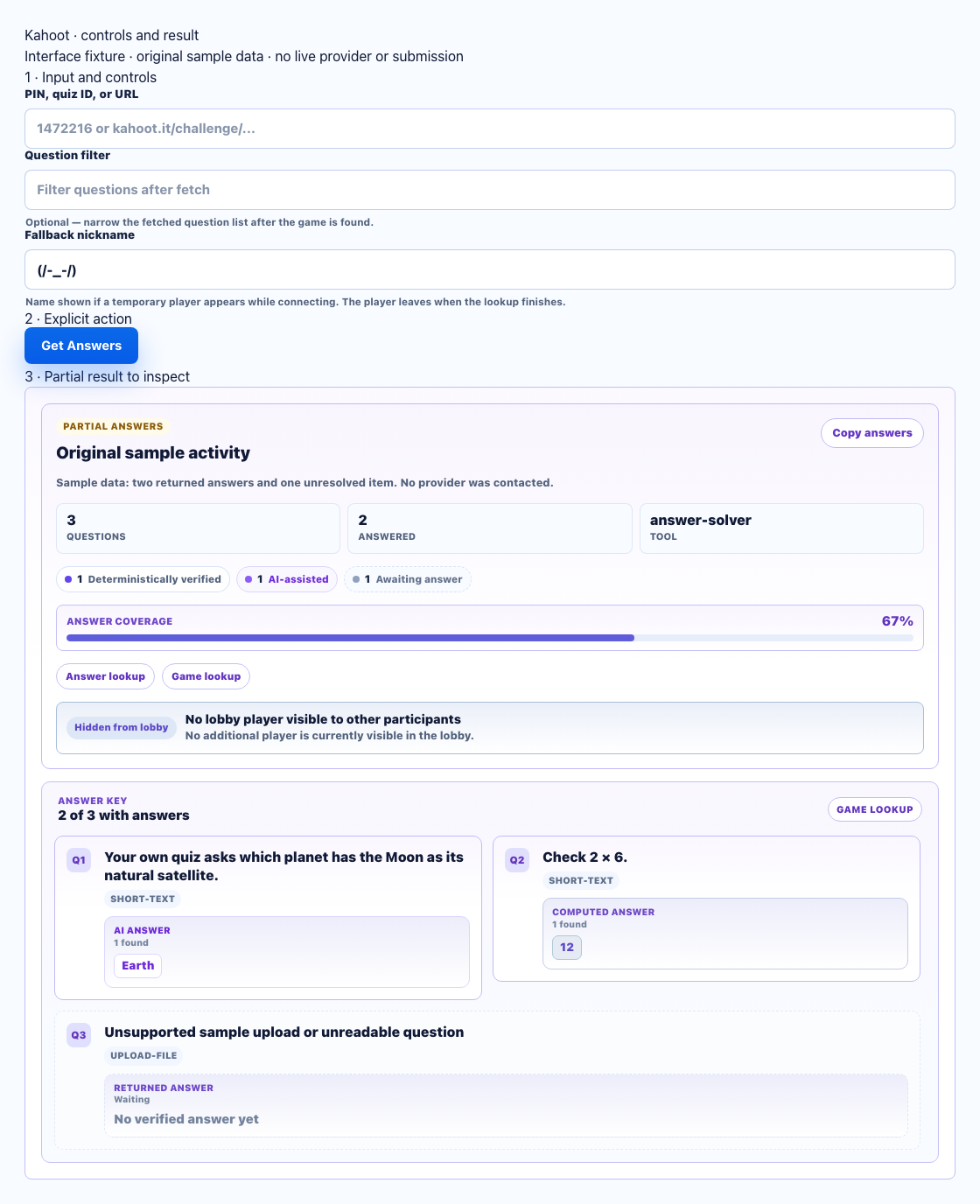
- Prefer a quiz ID/link. A PIN fallback can create a visible temporary participant.
- Choose Get Answers after reviewing source and nickname. This fixture does not join a live game.
- Compare source labels and unanswered cards; this is a partial sample result.
Kahoot dashboard preview
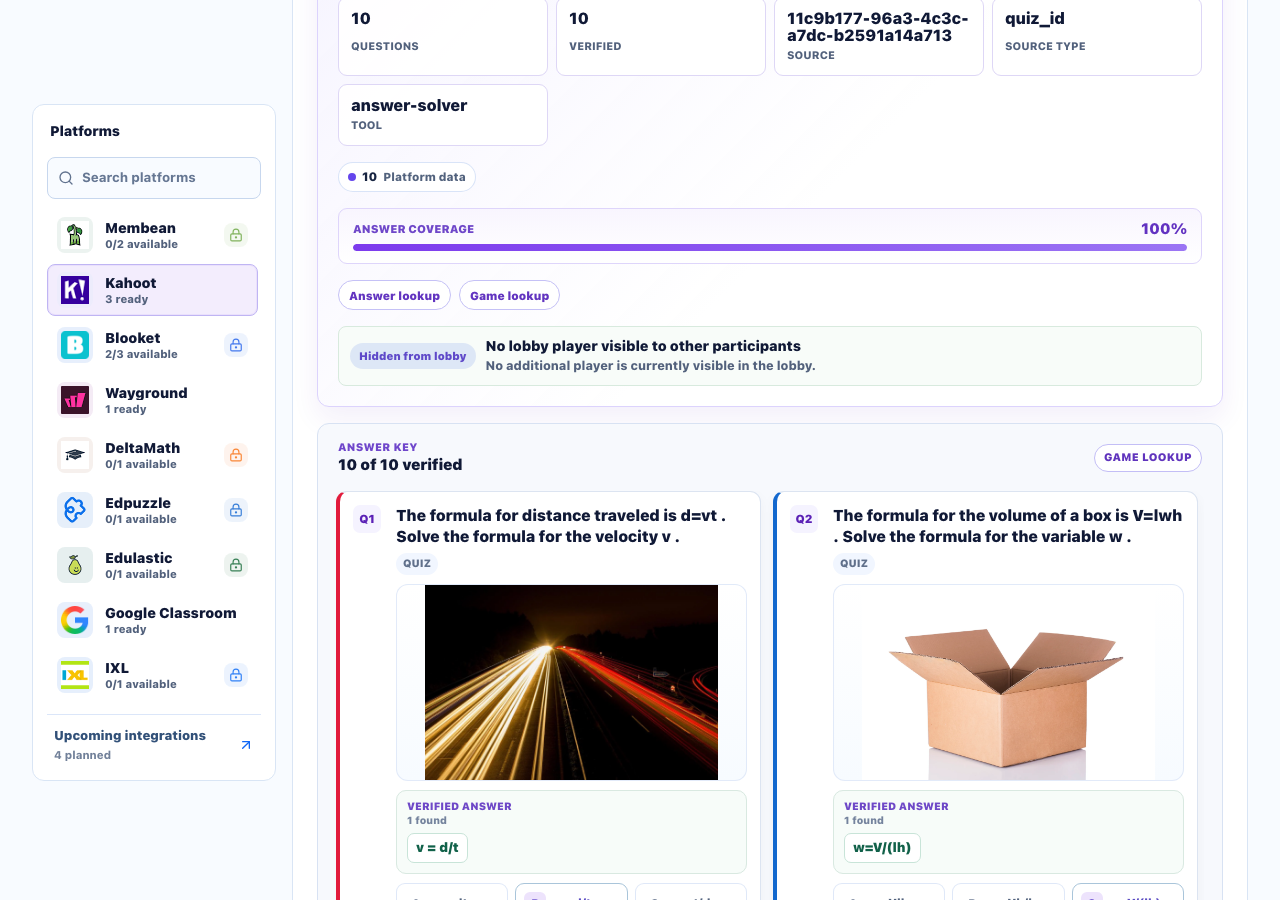
Dashboard screenshot captured on . Quiz source: Algebra: Rearrange formulas (MATH) by Math_by_Kahoot.
A clear workflow from source to result
- 1Enter a source
Paste a live PIN, shared link, or quiz ID.
- 2Choose options
Add a keyword filter, answerable-only view, or fallback nickname when useful.
- 3Review answers
Open the result board and check its coverage and source status.
- 4Continue your way
Copy the answer list or open supported live controls.
Find and review the answers that are available
Open one filtered result board from a game PIN, Kahoot link, or quiz ID.
Live lookup status
Use a live PIN and follow clear connecting, waiting, fallback, and completed states.
Focused filters
Narrow the fetched list with a keyword and optionally hide questions without a verified answer.
Automatic cache reuse
When the server reuses a prior answer set, the current lookup response identifies the cache hit.
Hidden-question fallback
If a live source stays private, the dashboard can use a supported temporary fallback and leave unresolved items unverified.
Control Kahoot bot and Flooder sessions
Use one answering bot or a configured Flooder roster while keeping each live session separate.
Answer controls
Turn supported automatic answering on or off and use answer-now controls during an active game.
Adjustable timing
Choose a minimum and maximum delay from 0 to 10 seconds; the default range is 1–5 seconds.
Simple session state
Monitor connecting, lobby, active, and ended states, then disconnect the session from the dashboard.
Flooder roster
Start a separate roster of 1 to 50 generated entries that remain in the lobby until the game ends.
Review supported Kahoot question types clearly
The result board adapts to the formats the quiz makes available.
Quiz
Standard questions with one available answer choice.
Multiple select
Questions that can require more than one selected option.
Typing and ordering
Text responses and ordered jumble-style answer sequences.
Slider, poll, and pin
Numeric targets, polls without invented correct answers, and available pin-style data.
Distinct tools with explicit behavior
Answer Solver, Game Joiner Bot, and Flooder stay separate, so each tool shows its source, controls, and live-session state before it runs.
- Answer lookup, Game Joiner, and Flooder stay separate
- No guaranteed-answer claims
- Unverified answers stay labeled
- Live sessions remain visible
Comparing several platforms or tool types? Use the school hacks and answer tools field guide.
Kahoot Answer Solver vs. live-game tools
Use Answer Solver for a reviewable answer board. Use the separate Game Joiner Bot or Flooder when you need supported live-lobby controls.
Answer Solver
- PIN, link, or quiz ID
- Keyword and answerable-only filters
- Immediate cache-hit status
Bot & Flooder
- Game Joiner Bot
- Flooder with 1–50 entries
- Separate live-session controls
Kahoot FAQ
What is a Kahoot answer solver?
A Kahoot answer solver uses a game PIN, Kahoot link, or quiz ID to build a clear answer list. StudyOutlaws shows the answers it can find and marks missing or unverified items.
Can I search with a Kahoot game PIN?
Yes. Enter the live game PIN in Answer Solver. If questions stay hidden, the lookup may wait or use its supported fallback. A link or quiz ID is usually more direct when you have one.
Which Kahoot question types are supported?
The result view can represent quiz, multiple-choice, typing, jumble, slider, poll, and pin-style questions when the quiz exposes that data. Polls and missing answers remain clearly labeled.
How many credits does a lookup cost?
A fresh successful Answer Solver lookup currently uses 5 task credits. Cache hits and results with no answers are not charged, and the dashboard shows the list price before you start.
How does the Kahoot Game Joiner Bot work?
The Pro Game Joiner Bot connects one nickname to one live lobby and exposes supported auto-answer, manual-answer, delay, and disconnect controls.
What does the Kahoot Flooder do?
The Kahoot Flooder is a separate Pro live-roster tool. Choose a lobby code and 1 to 50 generated entries; the entries join the lobby and remain until the game ends.
Are all live answers guaranteed?
No live source can guarantee complete coverage. StudyOutlaws keeps waiting, fallback, cached, partial, and unverified states visible instead of presenting uncertainty as a verified answer.