

Use the Kahoot Answer Solver
Resolve Kahoot questions from a quiz ID/link or live PIN and inspect answer sources. PIN fallback can join a visible temporary participant; use a direct quiz source when available.
- Access
- Free or above
- Cost
- 5 task credits per lookup
- Direct input
- Quiz ID or supported quiz link
- PIN fallback
- May join a visible temporary participant
How it works
- 1Enter quiz source
Prefer a quiz ID or link; use a live PIN when you do not have one.
- 2Check participant behavior
PIN lookup may create a visible participant with the configured temporary nickname.
- 3Review question cards
Inspect source labels, missing questions and current answer text.
Controls and result walkthrough
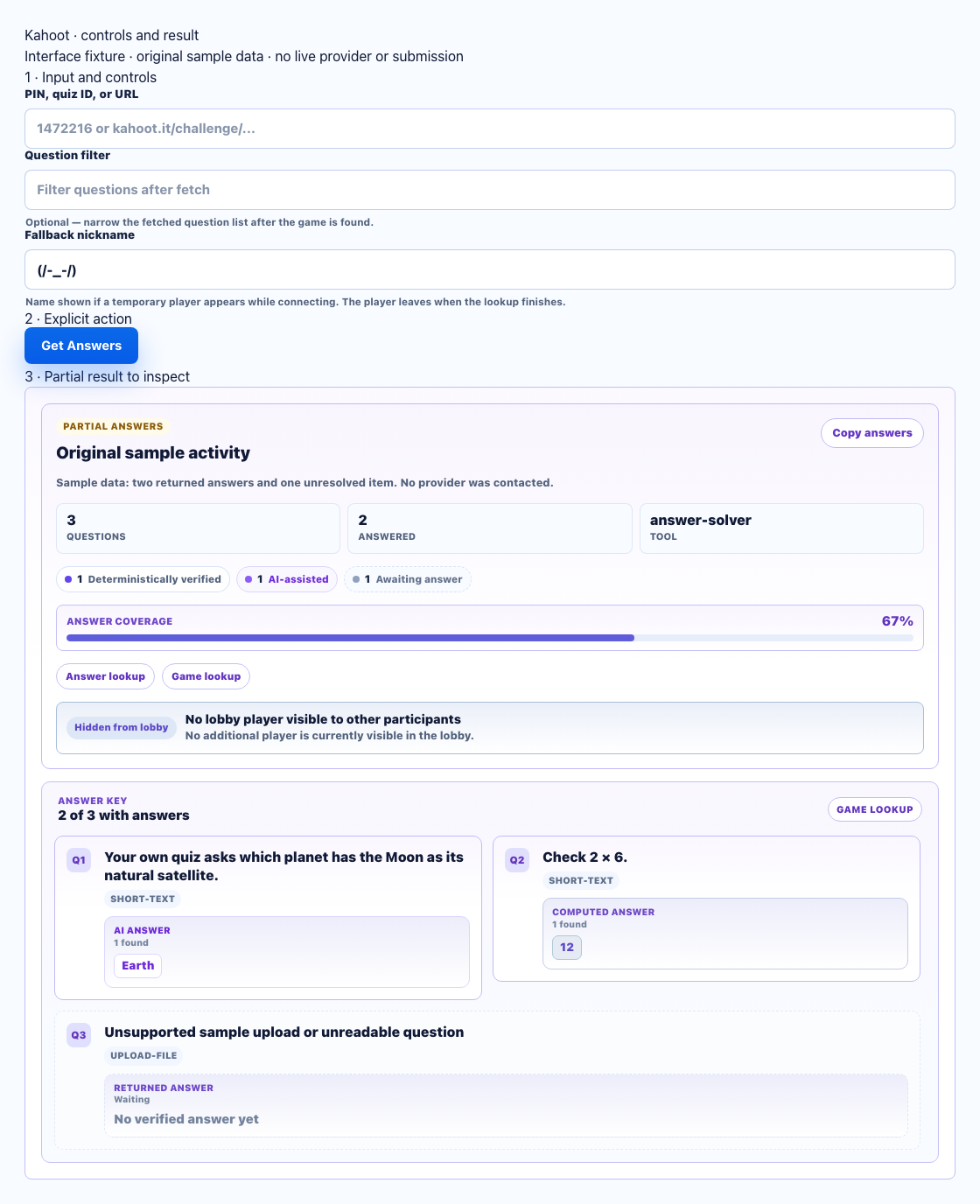
- Prefer a quiz ID/link. A PIN fallback can create a visible temporary participant.
- Choose Get Answers after reviewing source and nickname. This fixture does not join a live game.
- Compare source labels and unanswered cards; this is a partial sample result.
What a PIN fallback does
A live PIN may need a temporary guest participant to resolve the quiz. The nickname can be visible to the host and other participants. Check it before choosing Get Answers. A direct quiz ID/link avoids that fallback when the quiz source is readable.
Lookup, answering bot and Flooder
- Answer Solver: Free or above, 5 credits per lookup. Returns available question/answer data.
- Game Joiner Bot: Pro or above, 10 credits. Joins one participant and uses its own answer/pacing controls.
- Flooder: Pro or above, 5 credits. Adds participants for an authorized roster test; it does not return an answer key.
- The dashboard server runs these actions. In-page extension controls operate separately in the open browser tab.
Failure recovery
- PIN not found or ended session: confirm the host is still accepting participants and enter the current PIN.
- Temporary participant blocked or nickname rejected: check the nickname and host controls before retrying.
- No quiz source: use a readable quiz ID/link if available. Private/unavailable quizzes may remain unresolved.
- Empty filtered result: clear restrictive question filters; inspect source and cache notices.
- Partial or missing answers: keep unanswered items visible and compare question text with the current quiz.
Recorded workflow evidence
The recorded public quiz workflow loads a quiz ID and returns ten question cards. Its screenshot is dated and links the quiz source. It proves that recorded result only; it does not establish success for every live PIN or current private quiz.
