

Use the Blooket Answer Solver
Compare Blooket answer lookup, Study-mode scheduling and Flooder before starting. Each uses different inputs, access and execution behavior; live mode support depends on exposed room data.
- Answer lookup
- Free or above · 5 credits
- Study-mode scheduler
- Ultimate · no task credits
- Flooder
- Pro or above · 5 credits
- Execution
- Dashboard server; in-page extension tools are separate
How it works
- 1Choose the outcome
Use Answer Solver for answers, XP + Coins Scheduler for your Study-mode set, or Flooder for authorized roster testing.
- 2Enter the correct source
Lookup takes a live PIN, homework ID or supported URL; the scheduler takes a set and linked account.
- 3Inspect source and coverage
Check the detected set, answered count and unresolved items before using the output.
Controls and result walkthrough
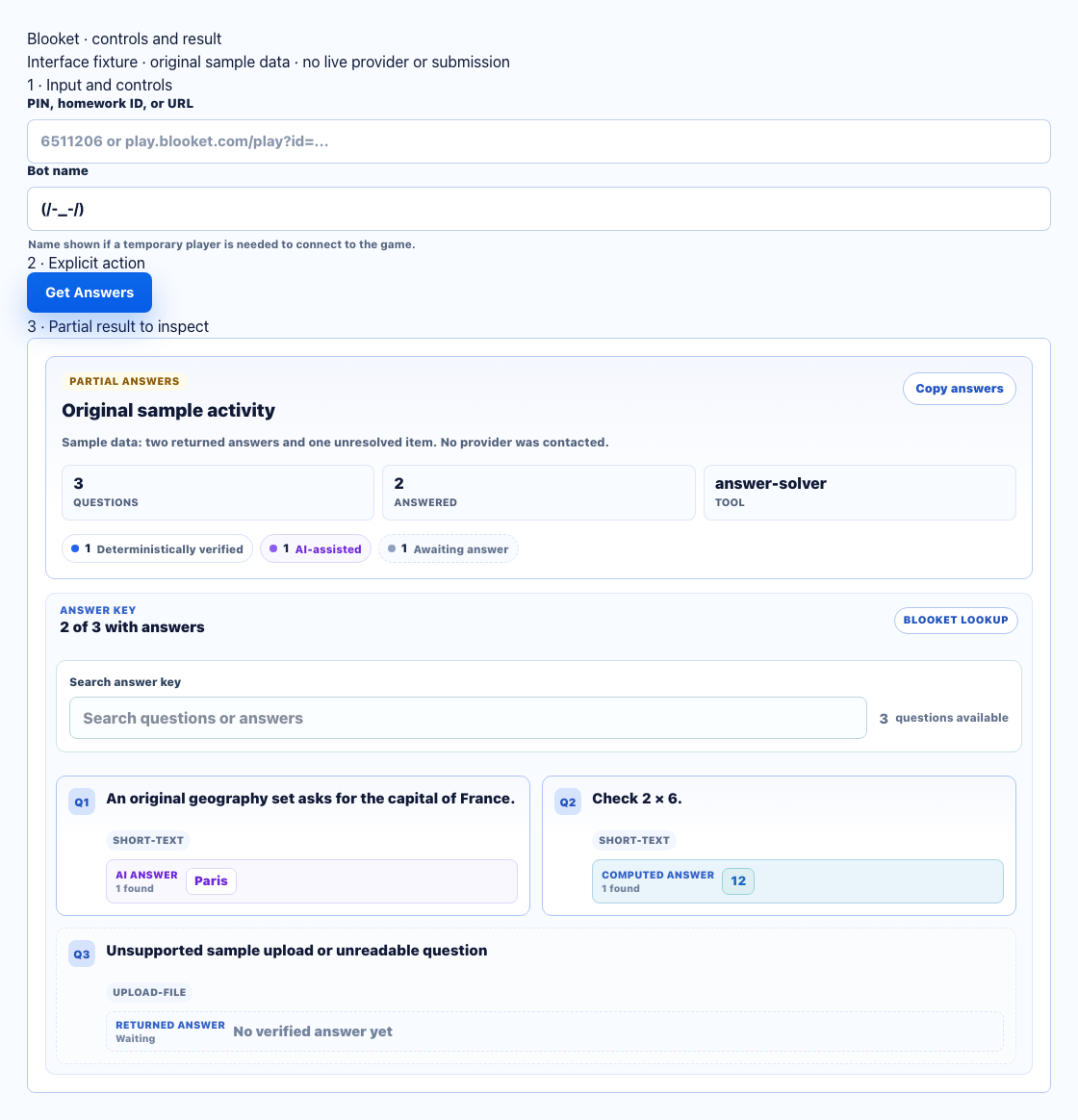
- Enter a PIN, homework ID or supported URL. This example is sample data.
- Use Get Answers for lookup; Flooder and the linked-account Study-mode scheduler are different tools.
- Compare answered and unanswered cards with the original set. Missing answers remain unresolved.
Choose by outcome, input and account
- Answer Solver: returns questions/answers from a live lobby PIN, homework ID or supported URL. No saved Blooket account is required. Free or above, 5 task credits, dashboard server.
- XP + Coins Scheduler: runs selected Study-mode work on a linked Blooket account using the set and timing controls. Ultimate, no task credits, dashboard server.
- Flooder: creates participants for an authorized live roster test using a PIN and nickname/count controls. No saved school account is required. Pro or above, 5 task credits, dashboard server. It is not an answer lookup.
- Chrome extension: assists the supported activity already open in your tab. Account, access and cost depend on the selected extension action; it does not inherit dashboard scheduling behavior.
Named room modes
The room adapter recognizes Monster Brawl, Cafe, Classic, Tower Defense, Tower Defense 2, Deceptive Dinos, Factory, Fishing Frenzy, Gold Quest, Cyber Hack, Racing, Battle Royale and Blook Rush. This is implemented adapter coverage, not a promise that every current hosted room works. Study-mode rewards are a separate workflow.
Input and result example
For your own lobby, enter its PIN before the host starts, check the temporary join nickname and choose Get Answers. Confirm that the result question text matches the current set. A homework source is a different input from a Study-mode set ID.
Errors and recovery
- Started, closed or expired lobby: get a fresh authorized PIN or use a supported homework source.
- Empty/partial answers: check the detected source and unresolved count; do not treat it as full coverage.
- Provider verification or connection error: read the returned notice and retry only after the room is accessible. Legacy Gold Quest host lookup and provider security-verification failures have been observed; a successful current replacement has not been verified.

